Install the Search Provider
2 September 2008
Read by 3866 persons
To make searching on Rekrute.com easier, you need 2 things:
- Internet Explorer 8, which you can download here:
http://www.microsoft.com/windows/internet-explorer/beta/worldwide-sites.aspx
If you want to discover the new features of Internet Explorer 8, go to:
http://www.microsoft.com/france/windows/products/winfamily/ie/ie8/campaign/default.mspx
- Once Internet Explorer 8 is installed on your computer, simply click here
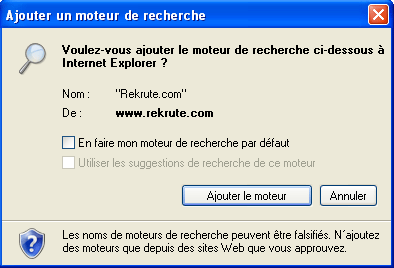
Set up the Rekrute.com search engine to configure searches on Rekrute.com. Internet Explorer will ask you to confirm that you want to add a new "Search Provider" for Rekrute.com, as shown in the screen below: